
See a security warning? Two steps
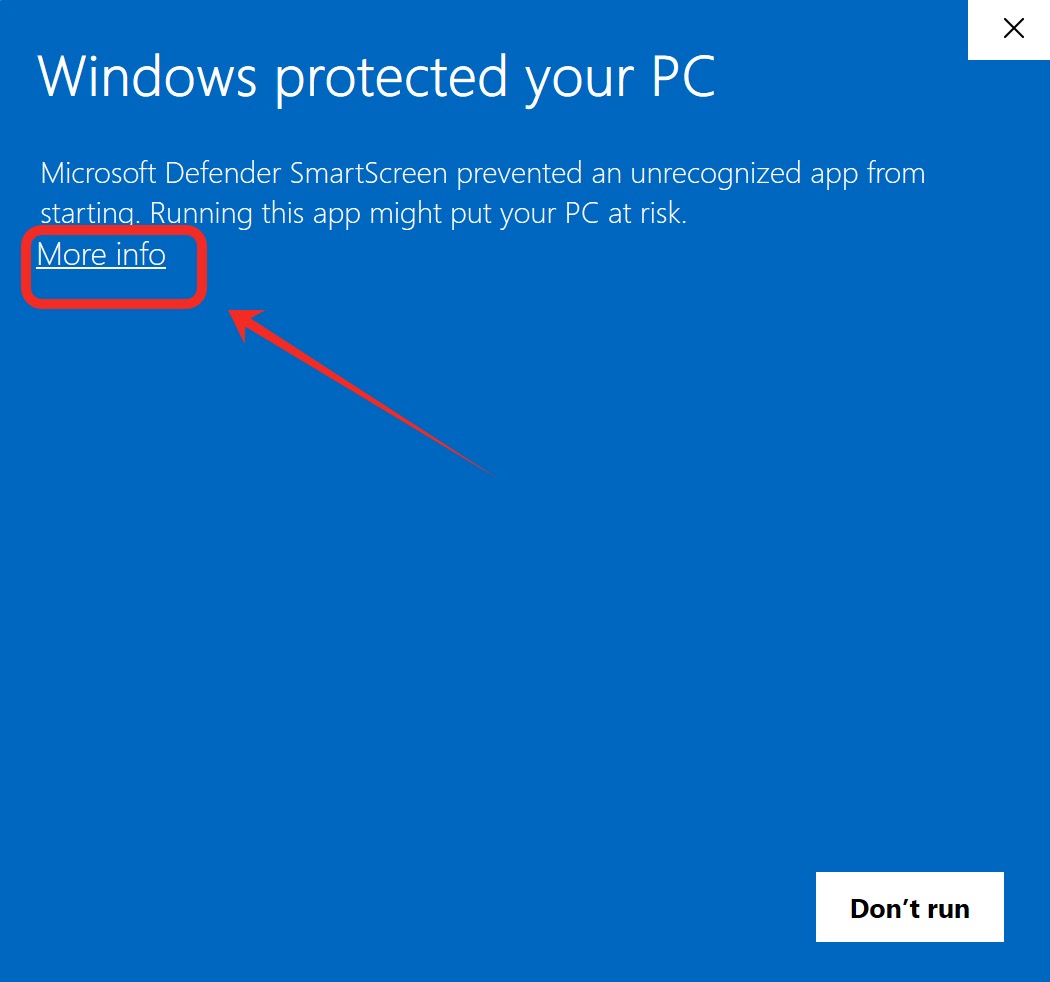
If a blue SmartScreen dialog appears, click More info, then Run anyway
- 1
Click “More info”
Don’t click Don’t run — click More info first
- 2
Click “Run anyway”
Then click Run anyway to start installing
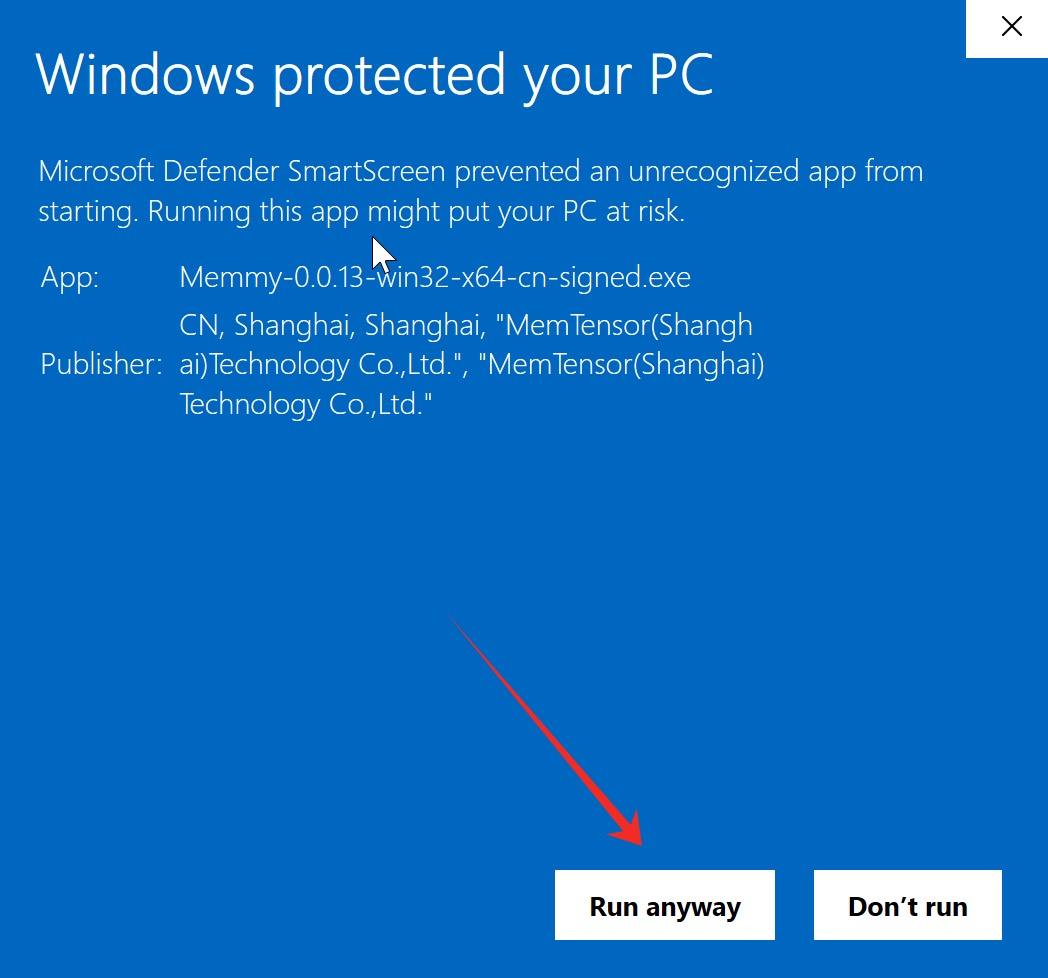
This prompt comes from Windows SmartScreen and is common when new apps are first released. Memmy is published through our official channel — feel free to continue